
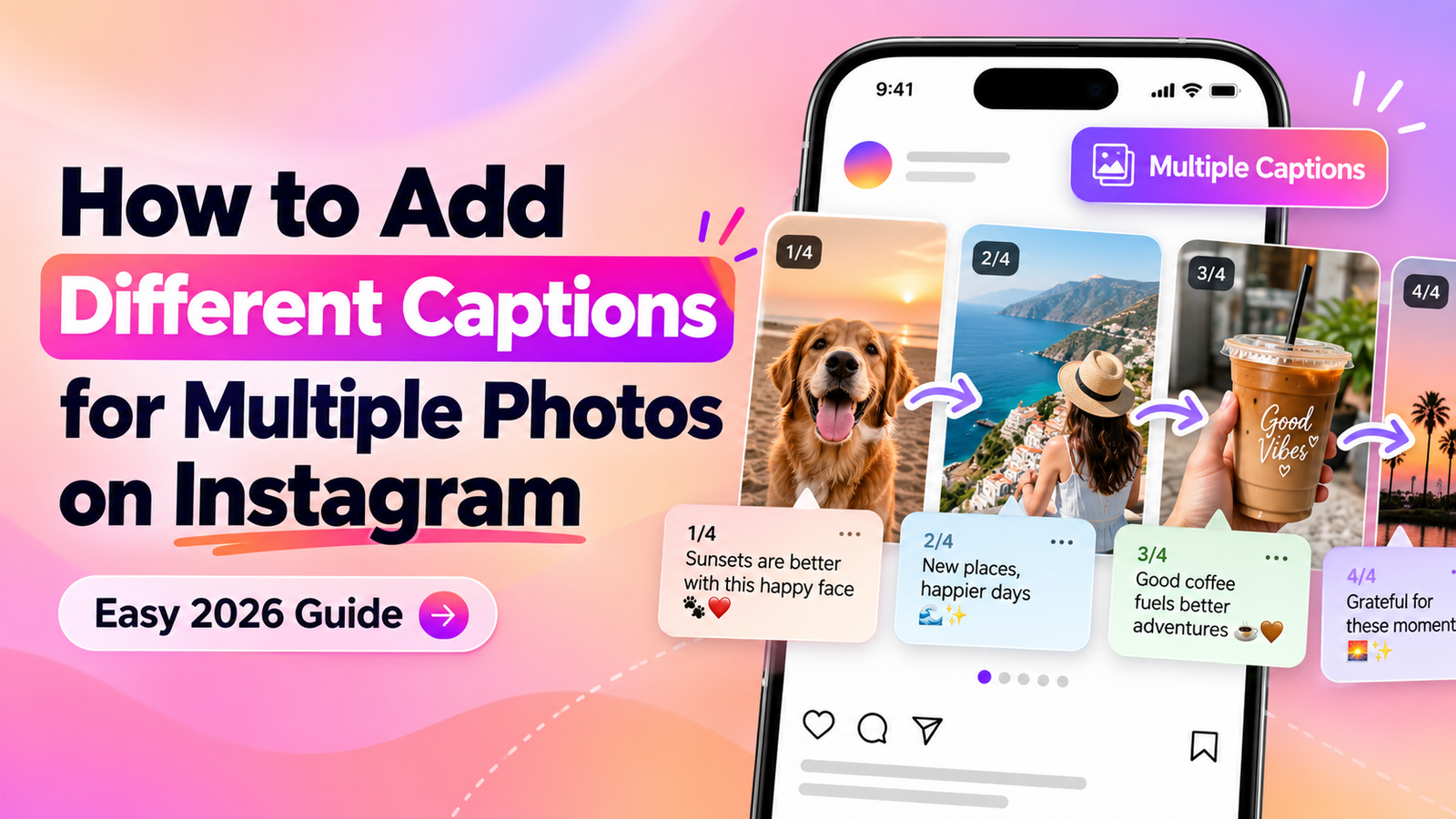
How to Add Different Captions for Multiple Photos on Instagram
Posting multiple photos on Instagram is one of the easiest ways to share a trip, photo dump, event, tutorial, or collection of memories in a single post. But sometimes one caption is not enough. Each photo may have its own story, location, moment, or explanation, which is why many users want to know how to add different captions for multiple photos on Instagram.
The good news is that Instagram now gives users more flexibility with carousel posts. With the Multiple Captions feature, you can add a separate caption to individual photos or videos instead of using one caption for the entire carousel. This makes it much easier to explain each picture, tell a story slide by slide, or give every photo its own context.
In this guide, you will learn how to add different captions to each photo on Instagram, where to find the Multiple Captions option, what to do if the feature is missing, and how to use individual carousel captions effectively.
Can You Add Different Captions to Multiple Photos on Instagram?
Yes, Instagram now allows you to add different captions to multiple photos when you create a carousel post. Instead of using one caption for the entire post, you can choose the Multiple Captions option and write a separate caption for each photo or video.
This means you can caption each photo separately on Instagram, which is especially useful for travel carousels, photo dumps, tutorials, product showcases, event photos, and posts where every image needs its own explanation.
For example, if you upload five travel photos, you can give each slide its own caption instead of writing one long caption below the whole carousel. One photo can mention the location, another can describe the food, and another can explain what happened during that moment.
Instagram still gives you the option to use a Single Caption if you want one caption to apply to the entire carousel. The best choice depends on whether all the photos share the same message or each image needs individual context.
How to Add Different Captions for Multiple Photos on Instagram
Adding different captions for each photo on Instagram is simple once you know where the option appears. Follow these steps to create an Instagram carousel with individual captions for each photo or video.
Step 1: Open Instagram and Create a New Post
Open the Instagram app and tap the + button to create a new post. Select Post from the available options.
You will then see your phone’s photo and video gallery, where you can choose the media you want to include in your carousel.
Step 2: Select Multiple Photos or Videos
Choose the photos or videos you want in your carousel.
Example: Selecting multiple photos for an Instagram carousel
Tap the Select Multiple icon, usually shown as two overlapping squares, and choose the photos or videos you want to include.
Instagram carousel posts can contain multiple photos and videos in a single post, making them useful for photo dumps, trips, tutorials, before-and-after posts, and other content that needs more than one slide.
Select the images in the order you want people to see them, then tap Next.
Screenshot suggestion: Add a screenshot here showing the Select Multiple icon and several selected photos. This helps readers who have never created an Instagram carousel before.
Step 3: Arrange and Edit Your Photos
Before adding captions, Instagram lets you review and edit the selected photos or videos.
You can:
- apply filters
- crop or adjust images
- edit individual slides
- check the order of your carousel
Make sure the images are arranged correctly before continuing, especially if you plan to tell a story through your Instagram carousel captions.
Once everything looks right, tap Next.
Step 4: Choose the Multiple Captions Option
One caption appears with the entire carousel.
Add a separate caption to individual photos or videos.
On the final post screen, look for the caption settings. Instagram may give you the choice between Single Caption and Multiple Captions.
Choose Multiple Captions if you want to write a different caption for each photo or video in your carousel.
A Single Caption applies one caption to the entire post, while Multiple Captions lets you add individual text to different carousel slides.
Screenshot suggestion: IMPORTANT
Add a clear screenshot here showing the Single Caption and Multiple Captions options.
This should be the most important screenshot in the article because readers searching for how to add different captions for multiple photos on Instagram mainly want to know where this setting is located.
You can also add an arrow or small highlight around Multiple Captions so readers notice it immediately.
Step 5: Write a Different Caption for Each Photo
Starting our weekend adventure with the best views. ✈️
Found this little coffee spot completely by accident.
Ending the day with a sunset worth remembering.
Each carousel slide can have its own caption and context.
After selecting Multiple Captions, move through each carousel slide and type the caption you want to appear with that specific photo or video.
For example:
Photo 1: Starting our weekend adventure with the best views. ✈️
Photo 2: Found this little coffee spot completely by accident. ☕
Photo 3: Ending the day with a sunset worth remembering. 🌅
Each caption can describe what is happening in that particular image instead of forcing you to explain everything in one long Instagram caption.
This makes individual captions on Instagram carousels especially useful when every photo represents a different place, moment, product, step, or memory.
Screenshot suggestion: Add another screenshot here showing different captions being entered for two or three carousel slides. This visually confirms that each image can have its own caption.
Step 6: Add Tags, Location and Other Post Details
Before publishing your Instagram carousel, you can finish the rest of your post settings.
Depending on the options available in your Instagram app, you may be able to add:
- people tags
- a location
- music
- accessibility information
- additional post settings
These settings are separate from your multiple Instagram captions, so adding them will not replace the individual captions you already created.
Step 7: Review Your Carousel and Share It
Before tapping Share, swipe through your carousel one final time.
Check that:
- every caption matches the correct photo
- the slides are in the right order
- there are no spelling mistakes
- important names or locations are correct
- the captions make sense as readers move through the post
Once everything looks correct, tap Share to publish your carousel.
Your followers can then swipe through the photos or videos and see the caption associated with each individual slide.
What Do Different Instagram Carousel Captions Look Like After Posting?
After you publish a carousel with multiple captions on Instagram, each slide can display its own caption as people swipe through the post. Instead of seeing one long caption that applies to every image, the text changes based on the photo or video currently being viewed.
For example, if your Instagram carousel has three travel photos, each slide can tell a different part of the story:
- Slide 1: Arrival at the destination
- Slide 2: Favorite café or restaurant
- Slide 3: Sunset or final memory from the day
This makes Instagram carousel captions much more useful for posts where every image needs separate context. It also helps readers understand what is happening in each photo without having to match details from one long caption to multiple slides.
The Caption Changes as You Swipe
First stop of the trip, and the city already feels magical.
Found the coziest little café while exploring the neighborhood.
Example of how individual captions can change with each carousel slide.
This can make a carousel feel more like a short visual story. Each image gets its own explanation, while the full post still remains part of one Instagram carousel.
If all of your photos share the same message, a single caption may still be the better choice. But when each image represents a different place, product, step, memory, or idea, using different captions for each photo on Instagram can make the post clearer and easier to follow.
Single Caption vs Multiple Captions on Instagram
Instagram gives you two ways to caption a carousel post: use one caption for the entire carousel or add multiple captions for individual photos and videos.
Neither option is always better. The right choice depends on how much context each slide needs.
When to Use a Single Caption
A single Instagram carousel caption works well when all of your photos belong to the same moment or share the same message.
For example, one caption may be enough for:
- a birthday photo dump
- several photos from the same party
- a group of selfies
- one outfit shown from different angles
- a collection of photos with the same theme
Using one caption keeps the post simple and avoids repeating similar information.
When to Use Multiple Captions
Choose multiple captions on Instagram when each photo or video needs its own explanation.
This works especially well for:
- travel carousels with different locations
- step-by-step tutorials
- product collections
- recipe or DIY instructions
- before-and-after posts
- event recaps
- educational carousels
- photo dumps where every picture has a different story
For example, a travel carousel could include the hotel name on one slide, a restaurant recommendation on another, and the location of a viewpoint on the next.
If one caption makes sense for every photo, use Single Caption. If each photo needs its own story or explanation, use Multiple Captions.
Using different captions for each photo on Instagram can make a carousel easier to understand, but you do not need to use separate captions just because the option is available. Keep the format that makes the post clearest for your audience.
Best Ways to Use Different Captions for Multiple Instagram Photos
Using different captions for each photo on Instagram works best when every slide adds something new. Instead of forcing all your photos under one long caption, you can give each image its own context, detail, or story.
Here are some of the most useful ways to use multiple captions on Instagram.
1. Photo Dumps
Photo dumps often include random moments from the same week, month, trip, or event. Since every photo can represent something different, separate captions can make the post feel more personal.
For example:
- Slide 1: Morning coffee before a busy day.
- Slide 2: Finally tried the place everyone keeps recommending.
- Slide 3: One of those sunsets that deserved its own photo.
This works especially well when your carousel includes unrelated moments that would be difficult to explain in one caption.
2. Travel Carousels
Travel posts are one of the best uses for Instagram carousel multiple captions because each photo may show a different location, restaurant, hotel, attraction, or experience.
You could write:
- Photo 1: First morning exploring the old city.
- Photo 2: Lunch at the little café near the square.
- Photo 3: The viewpoint that was completely worth the climb.
- Photo 4: Ending the day with this sunset.
Separate captions make it easier for followers to know exactly where each photo was taken or what happened there.
3. Tutorials and Step-by-Step Posts
If you are sharing a tutorial, each carousel slide can represent a different step.
For example:
- Slide 1: Gather everything you need.
- Slide 2: Complete the first step.
- Slide 3: Add the finishing details.
- Slide 4: Here is the final result.
Using an individual caption for each Instagram slide can keep instructions organized instead of placing every step in one long paragraph.
4. Product Carousels
Businesses and creators can also use separate captions to explain different products in the same carousel.
Each slide might include:
- product name
- main feature
- size or variation
- use case
- important details
For example, a fashion carousel could use one slide for a dress, another for shoes, and another for accessories, with a separate caption explaining each item.
5. Before-and-After Posts
Different captions are useful when showing a transformation.
You can use one caption to explain the before image and another to describe the after result.
This works well for:
- room makeovers
- editing transformations
- fitness progress
- DIY projects
- design changes
- beauty transformations
Instead of making readers guess what changed, each slide can explain the difference clearly.
6. Events and Special Memories
For birthdays, weddings, graduations, concerts, or family events, each photo often captures a different moment.
One Instagram carousel could include:
- getting ready
- arriving at the venue
- favorite moment
- group photo
- final memory of the day
Adding separate captions to multiple photos on Instagram helps turn the carousel into a simple timeline of the event.
The main idea is simple: use multiple Instagram captions when each image has something different to say. If your slides all communicate the same message, one caption may still be cleaner.
Why Don’t I See the Multiple Captions Option on Instagram?
If the Multiple Captions option is not showing on Instagram, it does not always mean you are doing something wrong. New Instagram features can appear gradually, and the available options may differ depending on your app version, account, device, or region.
Here are the most common reasons why Instagram multiple captions are not showing.
1. Your Instagram App May Need an Update
Start by checking whether you are using the latest version of Instagram.
Go to the App Store or Google Play Store, search for Instagram, and tap Update if one is available.
New features such as individual captions for Instagram carousel photos often require the latest app version.
2. The Feature May Not Be Available on Your Account Yet
Instagram sometimes rolls out new features gradually instead of releasing them to every user at the same time.
This means one account may have the Multiple Captions option while another account on the same phone may not.
If you do not see it yet, keep your Instagram app updated and check again later.
3. Make Sure You Are Creating a Carousel Post
The Multiple Captions feature is intended for posts with more than one photo or video.
When creating your post:
- Tap the + button.
- Choose Post.
- Tap Select Multiple.
- Add at least two photos or videos.
- Continue to the caption screen.
If you are creating a Story, Reel, or single-photo post, you may not see the same caption options.
4. Restart the Instagram App
Sometimes Instagram features fail to load correctly because of a temporary app issue.
Close Instagram completely and reopen it. If that does not work, restart your phone and try creating the carousel again.
This simple step can fix minor problems without changing any account settings.
5. Log Out and Sign Back In
If multiple captions on Instagram are missing, logging out and signing back in may refresh your account settings.
Make sure you know your login details before doing this.
6. Try Another Instagram Account
If you manage more than one Instagram account, switch to another account and check whether the feature appears there.
If Multiple Captions is available on one account but not another, the feature may still be rolling out to your main account.
7. Reinstall Instagram as a Last Step
If your app is fully updated but the option still does not appear, you can uninstall and reinstall Instagram.
This installs a fresh copy of the app and may resolve problems caused by outdated files or a faulty update.
Try these fixes in order.
If none of these steps work, the feature may simply not be available on your account yet. Avoid repeatedly reinstalling the app or changing settings, because there is no guaranteed way to force an Instagram feature to appear before it has been enabled for your account.
Can You Add Different Captions After Posting an Instagram Carousel?
Instagram lets you edit some parts of a post after publishing, but adding or restructuring separate captions for individual carousel slides may not always be available after the post is live.
Because Instagram regularly changes its editing options, the safest approach is to set up your multiple captions before you publish the carousel.
If you already posted the carousel, open the post, tap the three-dot menu, and choose Edit. Check whether Instagram gives you access to the individual caption fields for each slide. If those fields are not available, you may need to keep the existing caption or recreate the post with the correct individual captions for each photo.
Review every carousel slide and its caption before tapping Share. It is much easier to fix a caption before publishing than to rely on Instagram’s post-editing options later.
Before posting, quickly check that:
- each caption matches the correct slide
- names and locations are correct
- the carousel order is final
- there are no spelling mistakes
- each caption adds useful context
If Instagram expands its editing controls in the future, you may be able to make more changes after publishing. For now, treating Instagram carousel captions as something to finalize before posting is the most reliable approach.
How Many Photos Can You Add to an Instagram Carousel?
Instagram currently allows you to add up to 20 photos and videos in a single carousel post. You can use only photos, only videos, or a mix of both in the same post.
This gives you plenty of space for travel stories, photo dumps, tutorials, product showcases, event recaps, and other posts where one image is not enough.
If you plan to use different captions for multiple photos on Instagram, keep the carousel organized so each caption matches the correct slide. For longer carousels, it helps to decide the photo order first and write the captions in the same sequence.
You can add up to 20 photos or videos to one Instagram carousel, but you do not need to use all 20. A shorter, well-organized carousel is often easier for followers to swipe through.
For example, a five-slide carousel may work better than a 20-slide post if each image has a clear purpose and its own caption.
Can You Mix Photos and Videos With Different Captions?
Yes. Instagram carousel posts can include a mix of photos and videos, and you can use separate captions when the Multiple Captions option is available on your account.
For example, you could create a travel carousel with:
- Slide 1: a photo of your destination
- Slide 2: a short video from the trip
- Slide 3: a restaurant photo
- Slide 4: a sunset video
Each slide can have a caption that explains exactly what the viewer is seeing.
This makes Instagram carousel multiple captions especially useful when your post combines different types of content. A video may need extra context, while a photo may only need a short description.
Use individual captions to explain each photo or video without forcing everything into one long caption.
The main thing is to keep the carousel easy to follow. If the slides are connected by one theme but each one needs different context, individual Instagram carousel captions are a useful option.
Tips for Writing Captions for Each Carousel Photo
When you use different captions for each photo on Instagram, each caption should add something useful instead of repeating the same message in slightly different words.
Here are a few simple ways to make your Instagram carousel captions easier to read and more engaging.
Keep Each Caption Focused
Try to give each slide one clear idea.
If the photo shows a café, talk about the café. If the next slide shows a viewpoint, describe the view instead of repeating the same travel story again.
This keeps your multiple captions on Instagram useful and easy to follow.
Avoid Repeating the Same Information
Separate captions work best when every slide adds new context.
Instead of writing:
- Amazing trip
- Such an amazing trip
- Another amazing moment
Try:
- First stop after arriving in the city.
- Found this café while exploring the old streets.
- Finished the evening watching the sunset from here.
Each caption now gives the viewer something different.
Match the Caption to the Photo
Make sure the text directly relates to the photo or video currently being viewed.
This is especially important if you are trying to caption each photo separately on Instagram, because mismatched captions can confuse people as they swipe.
Keep Individual Captions Easy to Read
You do not need to write a long paragraph for every carousel slide.
Short captions often work better when the photo already tells most of the story.
For example:
Long:
After walking around the city for almost two hours, we finally found this beautiful little café hidden on a quiet street.
Shorter:
Found this little café after getting happily lost in the city. ☕
Tell a Story Across the Carousel
You can also use your carousel captions to create a beginning, middle, and ending.
For example:
- Slide 1: Where the day started.
- Slide 2: The unexpected stop we loved.
- Slide 3: Our favorite moment.
- Slide 4: The perfect ending.
This makes your Instagram carousel feel connected even though every photo has its own caption.
Use Keywords Naturally
If you are a creator, brand, or business, you can include relevant words that explain what the post is about.
For example, a travel creator could naturally mention:
- destination name
- restaurant name
- attraction
- neighborhood
- activity
However, do not stuff every carousel caption with keywords just to make the post longer. Write for people first.
What is happening + one useful detail + natural personality.
Example: “Found this quiet café behind the main square — definitely worth the detour. ☕”
Example of Different Captions for an Instagram Carousel
Seeing the feature in action makes it easier to understand how individual captions for Instagram carousel photos can work.
Imagine you are posting five photos from a weekend trip.
One post, five photos, five different captions.
Weekend officially started the moment we saw this view.
Found the prettiest little street without even looking for it.
Coffee tasted better after walking around all morning.
This ended up being my favorite stop of the entire trip.
One last sunset before heading home.
The same idea works for food posts, tutorials, products, photo dumps, events, and everyday moments.
Instead of writing one long paragraph describing all five photos, different captions for multiple photos on Instagram allow each slide to explain itself.
Different Captions vs One Long Caption: Which Should You Use?
Both options can work well. The better choice depends on what your carousel is trying to communicate.
Use multiple captions when:
- each photo shows something different
- individual locations need explanation
- you are teaching something step by step
- each product needs separate details
- the carousel follows a timeline
- viewers need context for individual slides
Use one long caption when:
- all photos belong to the same moment
- the message applies equally to every photo
- the carousel is simple and does not need explanations
- you want the photos to speak for themselves
For example, a carousel of five birthday selfies may only need one caption such as:
Birthday weekend with my favorite people. 🎂
But a five-photo travel carousel featuring different locations may be easier to understand with a separate caption for each slide.
If someone could understand every photo using the same caption, choose Single Caption. If each image needs its own explanation, choose Multiple Captions.
Common Mistakes When Using Multiple Instagram Captions
The Instagram Multiple Captions feature gives you more flexibility, but using too many captions without a clear purpose can make a carousel feel cluttered.
Here are a few mistakes to avoid.
Writing the Same Caption on Every Slide
There is little benefit in using separate captions if every slide says almost the same thing.
Give each image its own purpose.
Making Every Caption Too Long
You do not need an essay under every photo.
Use longer captions when they add value, but keep simple slides simple.
Putting the Wrong Caption With the Wrong Photo
This is easy to do in larger carousels.
Before publishing, swipe through the full post and confirm that each caption matches the correct slide.
Ignoring the Overall Story
Even when each image has its own caption, the carousel should still feel connected.
Try to keep the same general theme, tone, or story throughout the post.
Keyword Stuffing
Do not force phrases into every caption just because you want more reach.
Natural language is easier to read and usually creates a better user experience.
Assuming More Captions Automatically Mean More Reach
Adding more text does not automatically make an Instagram carousel perform better.
Use separate captions because they improve context, storytelling, or clarity — not simply because the feature exists.
Frequently Asked Questions About Instagram Multiple Captions
Can you have different captions for multiple pictures on Instagram?
Yes. Instagram can allow you to add different captions to multiple photos in a carousel by selecting the Multiple Captions option when creating the post.
How do I caption each photo separately on Instagram?
Create a carousel, select your photos or videos, continue to the caption screen, choose Multiple Captions, and add a separate caption to each slide.
Can each picture in an Instagram post have its own caption?
Yes, when the Multiple Captions feature is available on your account, individual carousel photos or videos can have their own captions.
Can I still use one caption for all carousel photos?
Yes. Instagram still allows you to use a Single Caption that applies to the entire carousel.
Why is Multiple Captions not showing on Instagram?
Possible reasons include an outdated Instagram app, gradual feature rollout, account differences, or creating the wrong type of post. Update the app and make sure you are creating a carousel with multiple photos or videos.
Can I add different captions to Instagram photos after posting?
Post-publishing editing options can vary. It is best to add and review your individual carousel captions before sharing the post.
How many photos can you add to an Instagram carousel?
Instagram currently supports up to 20 photos or videos in one carousel post.
Can you mix photos and videos in one Instagram carousel?
Yes. You can include both photos and videos in the same carousel.
Can videos have separate captions too?
Yes, when Multiple Captions is available, separate captions can be used for individual carousel slides that contain photos or videos.
Do different Instagram carousel captions increase reach?
Separate captions can improve clarity and storytelling, but they should not be treated as a guaranteed reach boost. Use them when they make the carousel more useful for viewers.
What is the difference between Single Caption and Multiple Captions on Instagram?
A Single Caption applies to the entire carousel. Multiple Captions allow individual slides to have their own text.
Are separate captions useful for Instagram photo dumps?
Yes. They are especially useful when the photos in a dump show unrelated moments, different locations, or separate memories.
Final Thoughts
Instagram carousels are much more flexible now that users can add different captions to multiple photos instead of relying on one caption for the entire post. The Multiple Captions option is particularly useful for travel posts, tutorials, product carousels, photo dumps, events, and any post where individual photos need their own explanation.
The best approach is to keep each caption relevant to the slide, avoid unnecessary repetition, and use separate captions only when they improve the story. Whether you choose a single caption or individual captions for each photo on Instagram, the goal should always be to make the carousel easier and more enjoyable for people to follow.

Similar Posts
310+ Traditional Captions for Instagram That Shine
In a world where every moment deserves to be cherished, a simple caption can transform a fleeting image into a lasting memory. Traditional captions for Instagram not only enhance your photos but also convey emotions and stories that resonate deeply with your audience. Sending meaningful messages through your posts allows you to connect with others…
Self Love Captions for Instagram That Empower
Self-love is the best kind of love, and it deserves to be celebrated. Meaningful messages can uplift your spirit and remind you of your worth, especially when shared with the world. Empowering self love captions for Instagram not only resonate with your own journey but also inspire others to embrace their individuality. In a world…
Pumpkin Patch Instagram Captions: 200+ Cute & Funny Ideas
Pumpkin patches are made for cozy fall photos, cute family moments, and fun autumn memories. If you’re looking for the perfect pumpkin patch Instagram captions, this list has short, cute, funny, aesthetic, and seasonal ideas to match every pumpkin-picking photo. 🎃 Top Pumpkin Patch Instagram Captions Need a caption fast? Start with these favorite pumpkin…
Ganpati Visarjan Captions in Hindi: भावुक विदाई Lines 🙏
“गणपति बप्पा मोरया, अगले बरस तू जल्दी आ…” 🙏❤️Ganpati Visarjan is one of those moments when devotion, gratitude, and goodbye all come together. If you want the right words to express that feeling, these Ganpati Visarjan captions for Instagram in Hindi will help you share your love for Bappa in a heartfelt and meaningful way….
310+ Mountain Captions For Instagram Adventure
The mountains are calling, and I must go. Capturing the essence of your adventures with meaningful mountain captions for Instagram can elevate your posts and connect you with your audience on a deeper level. These captions serve as a bridge between your experiences and the emotions they evoke, allowing you to share not just the…
300+ Bike Captions for Instagram That Feel Free
Riding a bike is more than just a mode of transport; it’s a feeling of liberation that courses through your veins. With the wind in your hair and the road stretching endlessly before you, every pedal stroke becomes a moment to cherish. That’s why sharing your biking experiences with meaningful bike captions for Instagram resonates…